> For the complete documentation index, see [llms.txt](https://docs.bottalk.io/docs/llms.txt). Markdown versions of documentation pages are available by appending `.md` to page URLs; this page is available as [Markdown](https://docs.bottalk.io/docs/text-to-speech/integrate-web-player/create-a-web-player.md).
# Create a Web Player
{% hint style="info" %}
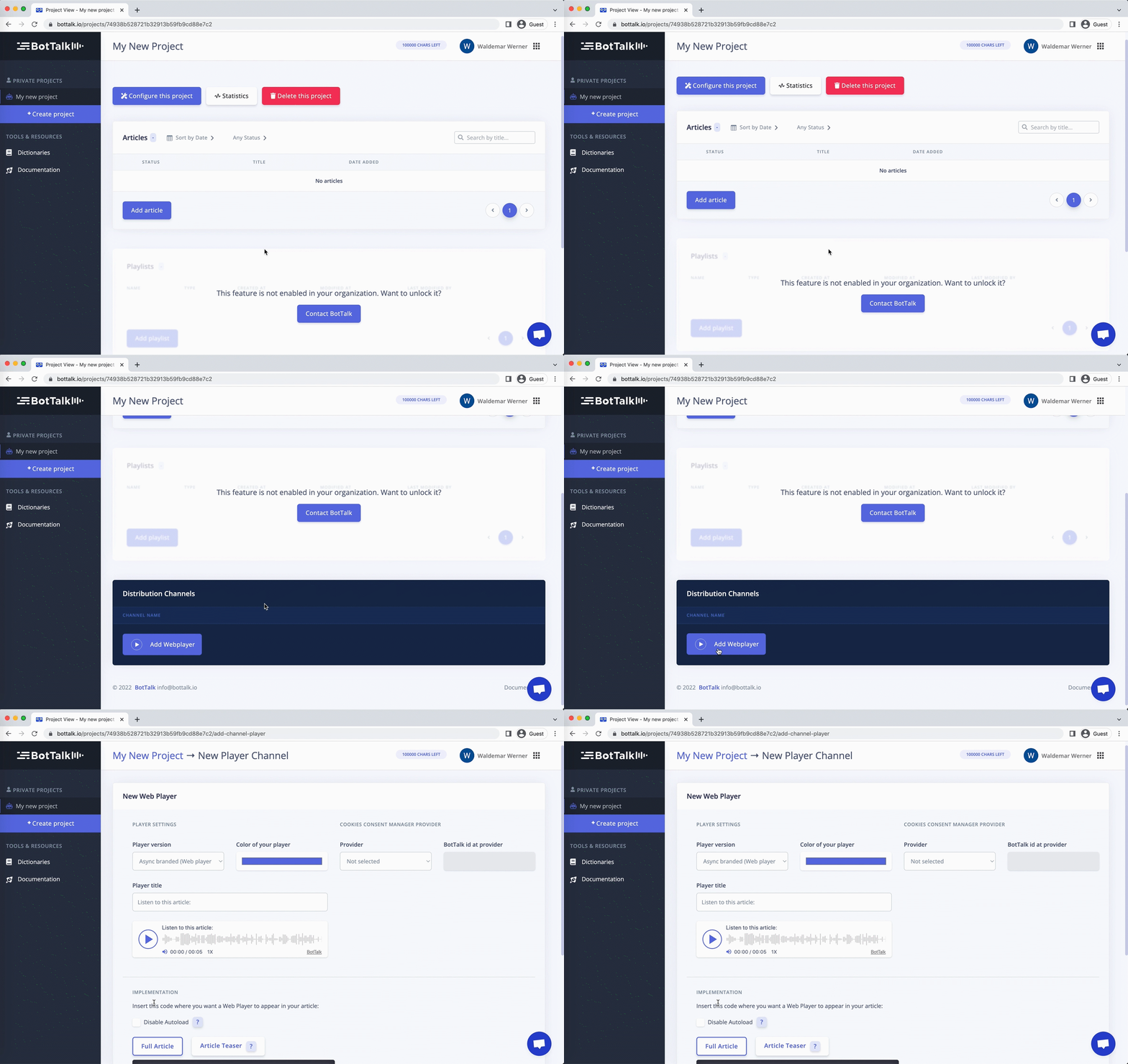
1. Inside your [project](/docs/onboarding/create-a-project.md) scroll down to the **Distribution Channels** section.
2. Click the **Add Webplayer** button.
3. [Configure your player here.](/docs/text-to-speech/integrate-web-player/configure-your-web-player.md)
4. [Integrate your Web Player into your website here.](/docs/text-to-speech/integrate-web-player/integrate-web-player-into-your-website.md)
{% endhint %}